Standard and Suite both have unlimited audio/MIDI tracks and scenes, comping, linked-track editing and plug-in support. Suite adds bundled Max for Live, built-in Stem Separation and more instruments, effects and Packs. Standard can also run Max for Live with a separately purchased add-on—Suite is not mandatory just to use Max devices. Compare the specific tools and the offers available for your license.
Checked September 8, 2026 against Ableton’s public edition pages, shop and support guidance. Prices below are the euro amounts displayed during that check, not a quote for every region or account. Some official device totals disagree; named feature rows are more useful than a headline count.
Start with the work both editions already share
Both editions provide unlimited audio and MIDI tracks and scenes, Session and Arrangement Views, comping, linked-track editing, advanced warping, automation lanes, Capture MIDI, racks and third-party plug-in support. Audio Units are a macOS format; VST2 and VST3 are supported on both platforms. The Choose Ableton Live hub covers the lower editions if you do not need this larger track allowance.
If the work is recording vocals and instruments, editing takes, arranging songs, programming drums, mixing with familiar plug-ins and exporting, Standard does not become a “less professional” DAW. Start with the same disciplined Live 12 setup and first-project test either way.
| Capability | Standard | Suite |
|---|---|---|
| Audio/MIDI tracks and scenes | Unlimited edition allowance | Unlimited edition allowance |
| Return tracks | 12 | 12 |
| Comping and linked-track editing | Included | Included |
| Max for Live | Separate add-on available | Included |
| Built-in Stem Separation | Not included | Included from Live 12.3 |
| Operator, Sampler, Wavetable, Meld | Not in the Standard bundle | Included |
| Packs and sound content listed | 16 Packs; 38+ GB | 33 Packs; 71+ GB |
Which Suite additions would you use?
A needed device is a stronger reason to upgrade than a bigger catalog. Check its exact name and whether your current tools already handle the task.
Max for Live: included in Suite, optional in Standard
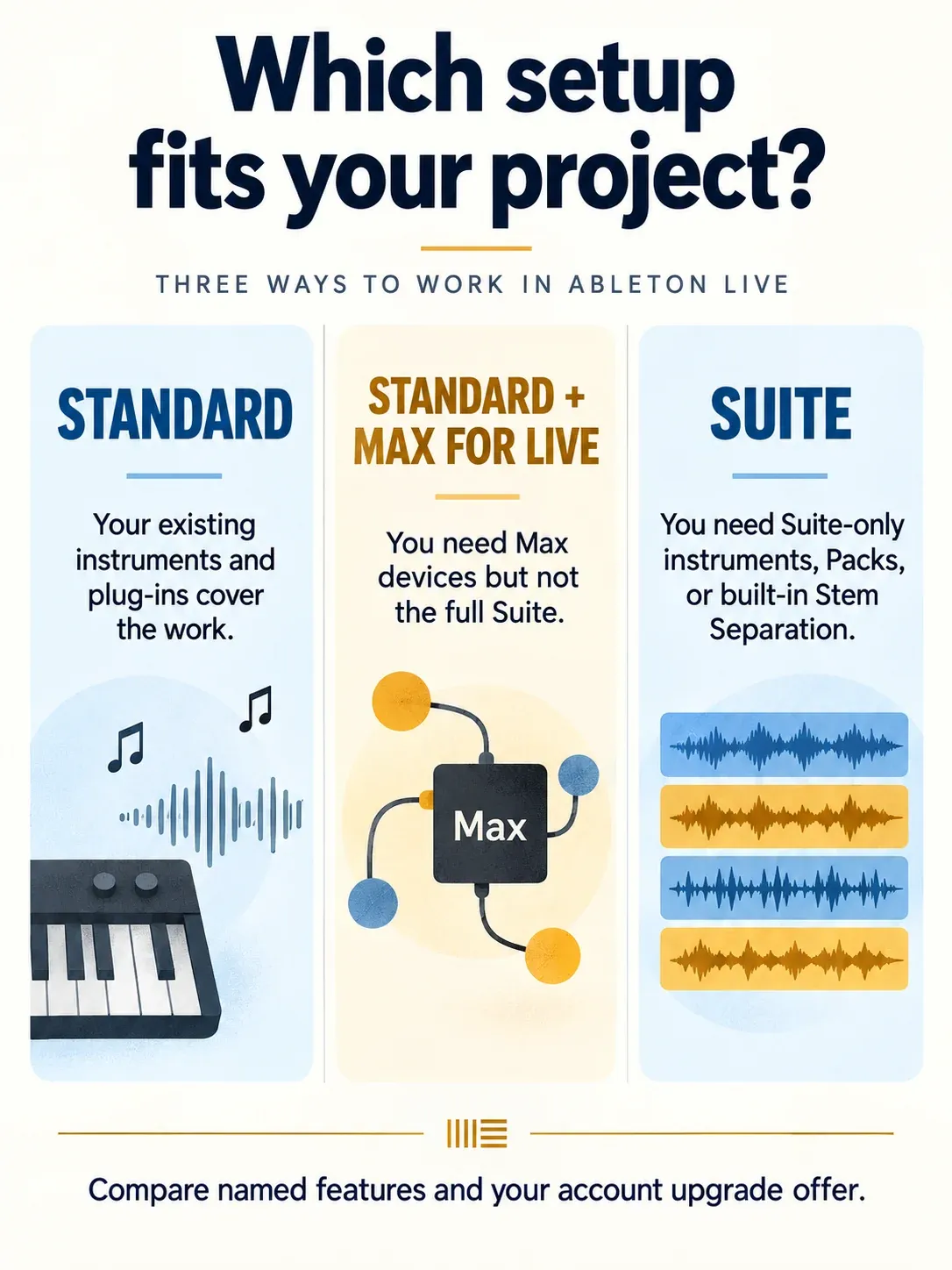
Ableton’s Max for Live purchase guide confirms two routes: Suite includes it, or you can buy an add-on for Standard. Lite and Intro do not support that add-on. If one Max sequencer or custom controller tool is the only missing capability, compare Standard plus Max for Live against the Suite offer rather than assume a whole-edition upgrade is required.
A Max for Live license is different from standalone Max. Check the individual device’s Live/Max version requirements, included-content eligibility and any separate purchase. Suite does not mean every community device is free, and a Max add-on is not a promise of the entire Suite library. For an existing device that will not open, work through Max for Live loading and licensing checks before buying another license.
Instruments and effects in the Suite bundle
The current four-edition matrix includes Analog, Collision, Electric and Tension in Standard, alongside Drift, Simpler and Drum Rack. Suite’s bundle adds Operator, Sampler, Wavetable, Meld and Granulator III, plus more effects. This describes bundle inclusion; it is not a claim that every separately sold instrument or Pack can only ever be obtained through Suite.
Try the missing sound source on a part you would actually keep. If a familiar plug-in already does that job, Suite may duplicate an existing purchase. If you want collaborators with the same Suite content to open a mostly native-device Set, the broader bundle can be convenient—but they still need the required version, licenses and samples.
Built-in Stem Separation
Built-in Stem Separation arrived in Live 12.3 Suite and is not included in Standard. It extracts Vocals, Drums, Bass and Others from mixed audio. Standard plus the Max for Live add-on does not unlock this built-in feature. It can help prepare a remix or rehearsal file, but separation can leave artifacts; audition the actual material before treating it as a replacement for original multitracks. Ordinary export of existing tracks as stems is a different task and does not require this separation feature.
Packs and sound content
The current matrices list sixteen Packs and 38+ GB of presets, samples and loops for Standard, versus thirty-three Packs and 71+ GB for Suite. Check the names of the included Packs against the sounds you need. More download entitlement is useful only if that material earns a place in your projects; it does not require you to install everything.
Why exact device names matter more than totals
On September 8, Ableton’s Compare Editions page showed twelve Standard and twenty-one Suite software instruments, while the shop and upgrade summary showed thirteen and twenty. The audio-effect totals also differed: 36/59 on Compare Editions versus 42/58 on the shop summary. These discrepancies are visible in the current public pages, not evidence that a device is present in your license.
Do not infer the cause of those mismatched totals. Check the individual device row and, if it conflicts with another official listing or your account, ask Ableton to confirm before buying. The tables above use unambiguous shared limits and named bundle differences rather than promise an exact disputed total.

Price, Max add-on and rent-to-own
The public shop displayed EUR 279 for Standard and EUR 599 for Suite on September 8, 2026: a EUR 320 difference between those displayed new-license prices. It also showed Suite rent-to-own at EUR 24.96 per month. These are regional displays, not personal upgrade offers. Existing owners should sign in to compare Standard, the Max for Live add-on and the applicable Suite upgrade; currency, tax treatment and promotions can change the final amount.
When comparing the offers, count only costs relevant to your projects:
- The missing instruments or effects you would otherwise buy separately.
- Packs that replace a sound library you already intended to purchase.
- Standard plus the Max for Live add-on, if Max devices are the only missing capability.
- The value of a demonstrated workflow improvement, such as useful stem separation on your own source files—not an assumed number of hours saved.
Ableton’s rent-to-own terms specify twenty-four payments for a new regular Suite license, twelve for a new EDU license, and eight to twenty-one months for upgrades, depending on the starting license. The provider says the full license cost equals buying directly; verify the plan’s displayed total rather than multiplying its rounded monthly figure. Intro and Standard are not offered as rent-to-own editions.
Keep Suite lean: library size is disk, not automatic RAM use
Owning Suite does not load the whole 71+ GB library into RAM. Working memory depends on the Set’s loaded samples, devices and plug-ins. The current system requirements list 8 GB RAM as a minimum, not a guarantee that a large sampled project or separation job will run comfortably. Their optional sound-content allowance of up to 76 GB is disk storage, separate from the application installation and your projects.
Use the Packs label and Available Packs in Live’s Browser to install selected content, following Ableton’s Pack installation steps. Keep backups before moving or removing content that existing Sets use, and reopen those Sets afterward. Leave downloads and library maintenance until after a performance. If CPU or RAM is constrained, inspect the actual loaded workload rather than downgrade the edition label.
Check one representative project
- List the instruments, effects, Packs and Max devices the intended project needs.
- Check which are included in Standard, which require an add-on, and which make the Suite bundle useful.
- Try a representative section with the tools you already own; note the actual missing capability.
- Use the Suite trial to evaluate the relevant extras, without assuming its license represents Standard plus every add-on.
- Compare the current offers and choose the setup that meets the project’s requirements.
For a stage computer, also check the license’s offline behavior. A rent-to-own license needs online activation and verification at least every three days; if verification fails beyond that window, saving and exporting are disabled until it reconnects. This is not a statement that playback instantly stops. Complete authorization before travel and test the backup machine. Collect external samples and verify the required devices and licenses; a dependable performance Set needs more than a Suite badge.
Who should choose Standard
Choose Standard when its included instruments and effects—or your existing plug-ins—cover recording, comping, warping, arranging and mixing. Standard plus the Max for Live add-on is also a valid configuration when you need Max devices but not the rest of Suite. Compare the actual add-on and upgrade offers before deciding.
Who should choose Suite
Choose Suite when several of its included instruments, effects and Packs will be used, or its built-in Stem Separation is part of the work. It also suits someone who wants the broader native bundle without assembling equivalent tools separately. If Max for Live alone is the reason, compare the Standard add-on first.
Standard can finish a release. Suite can offer a more convenient or capable tool set for a particular project, but neither edition replaces recording decisions, arrangement work or checking the result on another playback system.
FAQ
Is Ableton Live Standard enough for professional music production?
Yes. Standard includes unlimited audio/MIDI tracks and scenes, comping, linked-track editing, warping, plug-in support and a substantial native tool set. Max for Live can be added separately to Standard. Suite is useful for its broader included devices and content or built-in Stem Separation; professional work does not require the Suite name.
What does Ableton Live Suite add over Standard?
Suite includes Max for Live, more bundled instruments and effects, thirty-three listed Packs instead of Standard’s sixteen, and 71+ GB of sound content instead of 38+ GB. Built-in Stem Separation is available from Live 12.3 Suite. Check individual feature rows because public summary device counts can disagree.
Does Ableton Live Standard include Max for Live?
It is not included in Standard, but Ableton sells a Max for Live add-on for Standard. Suite includes it by default. Compare that add-on with the Suite upgrade in your account; Max for Live and standalone Max are different licenses. The add-on does not unlock the whole Suite bundle or built-in Stem Separation.
Does Ableton Live Suite use more RAM than Standard?
Owning Suite does not by itself load its entire library into memory. RAM use depends on the Set, loaded samples, devices and plug-ins. Suite includes more downloadable content, so selective Pack installation matters more for disk space and browser clutter.
Can I upgrade from Ableton Live Standard to Suite later?
Yes. Sign in to Ableton to see the offer for your license. Eligible Suite rent-to-own upgrades are also available, with a term tied to the starting license. During rent-to-own, online activation and periodic verification are required; after three days without verification, saving and exporting are disabled until reconnection.
Should a beginner buy Ableton Standard or Suite?
Choose Standard if its devices or the plug-ins you own cover the intended work. Choose Suite if its broader bundle or built-in Stem Separation justifies the actual price difference for you. If Max devices are the only missing requirement, compare Standard plus the Max for Live add-on.